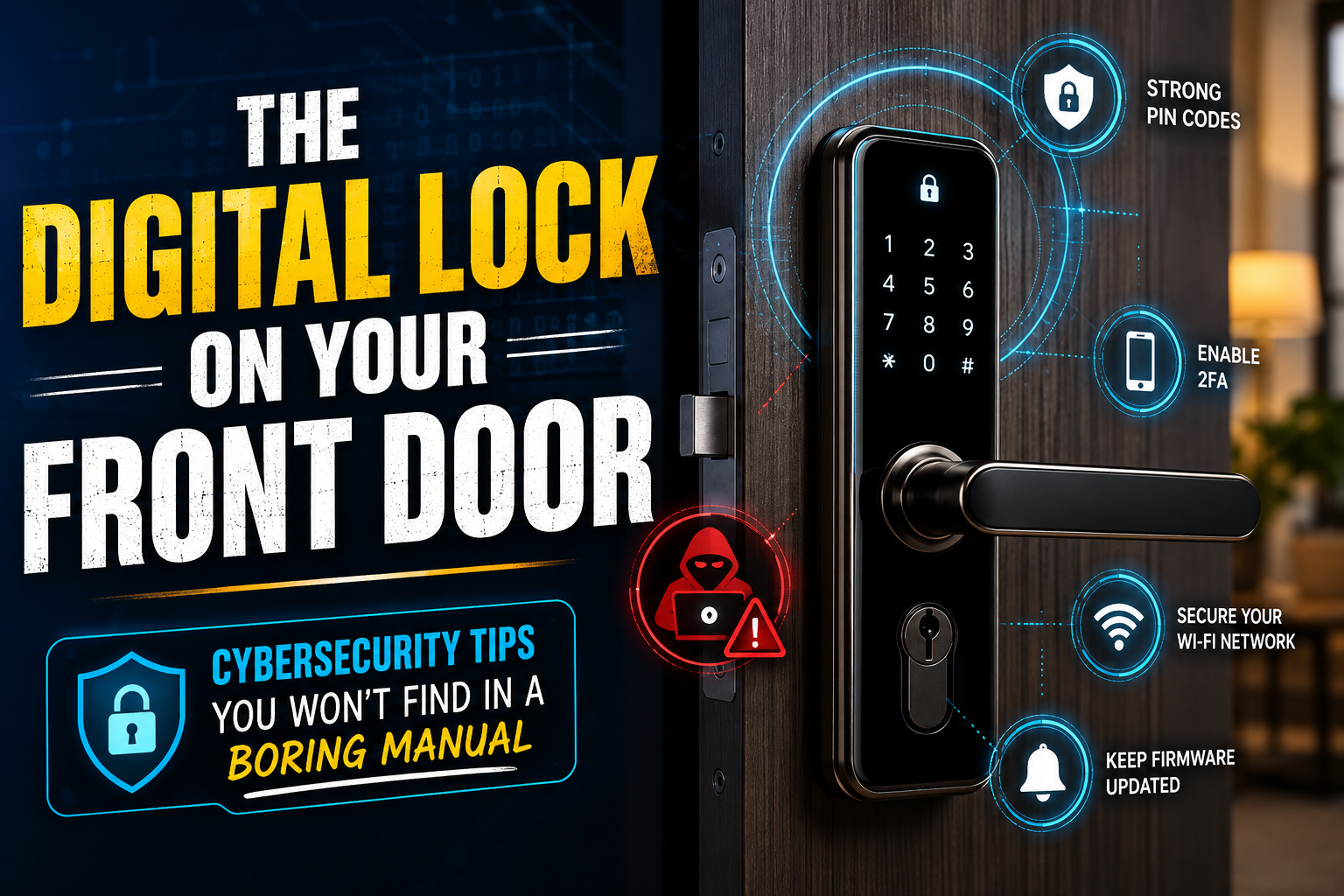
The Digital Lock on Your Front Door: Cybersecurity Tips You Won’t Find in a Boring Manual Let me paint you a picture. It’s 2:00 AM on a Tuesday. You’re scrolling through your bank notifications before bed, and you see a charge for $847 at an electronics store three states away. Your heart drops. Then you see another charge. And another. Suddenly, your digital life isn’t a life anymore—it’s a crime scene.
I’ve been that person. I’ve also been the person who thought, “It won’t happen to me. I’m not important enough to hack.” That is the single most dangerous thought you can have in 2026.
Cybercriminals aren’t targeting you specifically. They are fishing with a massive net. If you are a human being who uses the internet, you are a fish. They don’t care if you’re a billionaire or a barista. Your data is currency. Your login credentials are gold.
Forget the corporate jargon. Forget the IT policy manuals that put you to sleep. We are going to talk about real cybersecurity for real people living in a messy, connected world. This isn’t about being perfect. It’s about being harder to break into than the neighbor’s house.
The Myth of “I Have Nothing to Hide”
We have to kill this myth right now, or the rest of this article is useless.
You do have things to hide. You have your mother’s maiden name. You have your high school mascot. You have the street you grew up on. You have photos of your kids. You have private conversations with your spouse. You have your social security number.
When people say, “I don’t care if the government sees my texts,” they miss the point. Hackers don’t want to read your grocery list. They want to use your identity to open a credit card. They want to email your boss from your account asking to redirect a payroll deposit. They want to lock your family photos behind a ransomware screen.
Privacy isn’t about secrecy. Privacy is about control. Cybersecurity is the wall that keeps that control in your hands. Once you accept that you are a target—not because you’re special, but because you exist—you will start treating your digital life with the respect it deserves.
Passwords: The Thing You Hate That Actually Works
I know. You’re tired of hearing about passwords. You have 200 logins. You reuse the same three variations of your dog’s name. We all do it. It’s human nature to take the path of least resistance. But the lazy path is a superhighway for criminals.
The “Forgot Password” Button is Not a Strategy
Stop relying on your memory. Your brain is not a secure vault. It forgets. It gets tired. It takes shortcuts. You need a password manager. Yes, that app you keep ignoring. Bitwarden, 1Password, Proton Pass—pick one.
Think about that. Right now, you are trying to remember 50 mediocre passwords. You forget one, you reset it. You use the same one for ten sites because you’re frustrated. With a manager, you copy-paste a 20-character string of nonsense like #8qLp!9zXv&2mN$5kR@ into every single site. You never have to type it. You never have to remember it.
That 20-character nonsense string would take a hacker’s computer approximately 438 trillion years to guess. Your dog’s name takes 0.0002 seconds.
The Three Random Word Rule
If you absolutely refuse to use a manager (and you are actively harming your future self), at least ditch the rules. Stop using Password123! Stop using Summer2024. Hackers have dictionaries of every leaked password in history. They know the patterns.
Use the “Three Random Words” method. Pick words that have no business being next to each other. Correct-Horse-Battery-Staple is a classic example, but make it yours. CactusPogoStickTeacup. Add a number you remember and a symbol at the end. CactusPogoStickTeacup88!
This is long. It’s easy for your brain to picture. It is incredibly hard for a machine to brute force. Length beats complexity every single time.
Two-Factor Authentication: Your Digital Seatbelt
If passwords are the lock on your front door, Two-Factor Authentication (2FA) is the deadbolt, the security camera, and the angry dog on the other side.
I am begging you—actually begging you—to turn this on for every single account that offers it. Your email. Your bank. Your social media. Your gaming accounts. Your food delivery app if it lets you store a credit card.
Here is how it works in human terms: A hacker in Russia guesses your password. They get it right. They are in. They start clicking around to drain your account. But then, a pop-up appears on your phone. It says, “Attempted login from Moscow. Approve or Deny?”
They cannot get past that screen. They have your password, but they don’t have your physical phone. They are stuck. You win.
SMS is Better Than Nothing, But Barely
Most people use text messages for 2FA. It’s fine. It stops casual hackers. But savvy criminals can “SIM swap”—they call your phone carrier, pretend to be you, and get your phone number transferred to their device. Suddenly, those 2FA texts go to them.
Upgrade to an authenticator app. Google Authenticator, Microsoft Authenticator, or Aegis. These apps generate a six-digit code that changes every 30 seconds. The code lives on your device, not in the ether. Even better? Buy a hardware key like a YubiKey. It’s a little USB stick you tap against your phone or computer. Unless a hacker breaks into your house and steals the physical key, they aren’t getting in.
The Phishing Hook: You Are the Vulnerability
We spend billions of dollars on firewalls, antivirus software, and encryption. And then a hacker sends an email that says, “Your Netflix account has expired. Click here to update your payment.”
And we click.
We click because we are busy. We click because we are scared. We click because the email looks exactly like the real one.
I almost fell for one last year. I got an email from “Apple” saying my iCloud storage was full and my account would be deleted in 24 hours. The logo was perfect. The font was right. The link looked legitimate. I was rushing to get out the door for a doctor’s appointment. My thumb hovered over the link.
Then I paused. I asked myself one question: Am I initiating this, or are they?
I opened a new browser tab. I typed icloud.com manually. I logged in. My storage was at 40%. No warning. No deletion threat. The email was a perfect forgery designed to exploit my panic.
The Golden Rules of Clicking
- Never click links in emails you didn’t ask for. Even if it looks like your bank. Even if it looks like your boss. When in doubt, navigate to the website yourself. Type the address. Don’t copy-paste. Type it.
- Check the sender’s email address, not the name. The email might say “PayPal Support,” but when you click on the name, the actual address is
[email protected]. That is not PayPal. - Look for urgency. “Your account will be closed TODAY.” “We noticed suspicious activity.” “You have 12 hours to respond.” Hackers create panic because panic shuts off your rational brain. Take a breath. Walk away for five minutes. Then come back and check it cold.
- Hover, don’t click. On a computer, hover your mouse over any link. A little box will pop up showing the real web address. If it’s a string of random letters or a misspelling like
amaz0n-security.com, delete the email immediately.
The Update Monster: Why You Need to Stop Hitting “Remind Me Later”
We all do it. You’re in the middle of work. You’re about to join a Zoom call. A pop-up appears: “Windows needs to restart to install updates.” You smash the “Remind me later” button with the force of a thousand suns.
I get it. Updates are annoying. They change things. They take time. But here is the truth that software companies don’t scream loud enough: Those updates are often fixing a hole that hackers are actively crawling through right now.
When a company like Microsoft or Apple finds a security flaw, they fix it quietly and push an update. But they also announce that they fixed it. Hackers read those announcements. They reverse-engineer the fix to figure out how the flaw worked. Then they scan the internet for every single computer that hasn’t installed the update yet.
It’s a race. The update is released at 9:00 AM. By 2:00 PM, hackers have a tool to exploit the unpatched systems. If you wait a week to update, you are leaving your digital windows open in a thunderstorm.
Set your devices to update automatically overnight. Plug them in before you go to sleep. Let the machine do its boring, life-saving work while you dream. Yes, you might wake up to a slightly different interface. That is a small price to pay for not having your identity stolen.
Public Wi-Fi: The Digital Alleyway
Free Wi-Fi at the coffee shop. The airport network. The hotel “Guest” connection. It feels like a gift. It is actually a trap.
Public Wi-Fi is, by design, insecure. Anyone can connect to it. And I mean anyone. Including the guy in the corner with a laptop running a program called Wireshark. That program allows him to see the traffic flowing through the network. If you log into your bank without protection, he might see your username and password floating by in plain text.
How to Survive the Airport
- Assume everyone is watching. Never, ever access your bank, your medical records, or your work email on public Wi-Fi. Save those tasks for your home network or cellular data.
- Use your phone as a hotspot. Your cellular connection (4G/5G) is encrypted. It is vastly more secure than free Wi-Fi. If you need to do sensitive work on your laptop, turn on your phone’s hotspot and connect through that.
- Get a VPN. A Virtual Private Network (VPN) creates an encrypted tunnel from your device to the VPN server. Even if a hacker intercepts your data on the coffee shop Wi-Fi, all they see is gibberish. Do your research, though. Free VPNs are often worse than nothing—they sell your data to stay in business. Pay for a reputable one like Mullvad, ProtonVPN, or IVPN.
- Forget the network after you leave. Your phone or laptop will automatically reconnect to any network it recognizes. Go into your Wi-Fi settings and click “Forget” on every public network you use. Otherwise, next week when you walk past that coffee shop, your device will wave a little digital flag saying, “I remember this place!” and connect automatically, exposing you without you even knowing.
Backups: The “I Told You So” Insurance
Ransomware is the monster under the bed of the modern world. You click one wrong link. Suddenly, every file on your computer is encrypted. A message pops up: “Pay $500 in Bitcoin or lose your photos forever.”
If you have a backup, you laugh. You wipe your computer. You restore the files. You move on with your life. You never pay the ransom (and you shouldn’t, because paying funds terrorism and doesn’t guarantee you get your files back).
If you don’t have a backup, you cry. You negotiate with criminals. You lose the photos of your child’s first steps.
The 3-2-1 Rule for Normal People
Professionals use the 3-2-1 rule. It sounds technical, but it’s simple.
- 3 copies of your data. (Your working copy + two backups)
- 2 different types of media. (An external hard drive + the cloud)
- 1 copy off-site. (In case your house burns down or gets robbed)
Here is what that looks like on a Saturday afternoon:
- Your computer (Copy #1).
- Plug in a $60 external hard drive. Back up your photos and documents to it (Copy #2).
- Pay for Backblaze, iCloud, or Google One. Let it automatically back up your stuff to the internet (Copy #3, off-site).
That’s it. You are now immune to ransomware, hard drive failures, and house fires. Sixty bucks and an hour of setup. There is no excuse.
Social Media Oversharing: The OSINT Goldmine
You’ve heard of privacy settings. You’ve probably ignored them. But let me tell you a quick story.
A friend of mine posted a photo of her new credit card. She thought she blurred the numbers. She didn’t. Within an hour, someone bought $2,000 worth of furniture. That’s the obvious danger.
The sneaky danger is the quiz. “What was your first pet’s name?” “What street did you grow up on?” “Who was your childhood hero?”
These are common security questions for password resets. Hackers create fun, innocent-looking quizzes on Facebook. Thousands of people answer them. The hacker harvests the answers. Then they go to your bank, click “Forgot Password,” answer “Fluffy” for the pet and “Elm Street” for the road, and boom. Your account is theirs.
Stop answering security questions honestly. Lie. Be consistent, but lie. “First pet’s name?” Magnesium. “Mother’s maiden name?” Skyscraper. These nonsense answers cannot be socially engineered from your Facebook page.
Also, stop posting your vacation photos while you are on vacation. You are literally telling the world your house is empty. Post them when you get back. Your friends will still like them. The local burglar will have moved on.
Physical Security: The Forgotten Layer
We get so caught up in digital threats that we forget the analog ones.
- Lock your screen. Every time you stand up. Every single time. Win+L on Windows. Control+Command+Q on Mac. It takes half a second. A coworker, a hotel maid, or a nosy roommate can do immense damage in the 90 seconds you are getting coffee.
- Cover your webcam. A tiny piece of electrical tape is cheap. A video of you in your underwear is expensive (emotionally and financially). Mark Zuckerberg does this. So should you.
- Don’t leave USB drives lying around. This is a classic penetration testing trick. Hackers drop infected USB drives in office parking lots. Curious people pick them up and plug them in “just to see what’s on them.” What’s on them is malware. Never plug in a random USB drive. Ever.
- Shred your mail. Your trash is a goldmine. Bank statements, medical bills, pre-approved credit offers. Identity thieves literally go dumpster diving. Buy a $30 cross-cut shredder and use it like it owes you money.
The Kids and the Elderly: The Human Firewall Weak Points
You might be a cybersecurity ninja. That doesn’t matter if your 70-year-old mother clicks every link she sees or your 12-year-old downloads every free “cheat engine” for their video games.
You are the IT department for your family. It’s a terrible job, but nobody else is going to do it.
For the elderly: Install an ad blocker (uBlock Origin is free and excellent). Show them how to spot the big, fake “DOWNLOAD” buttons on websites. Set up their computer so they cannot install software without a password that you keep. Have a rule: If a pop-up says your computer is infected, call me before you call the number on the screen.
For the kids: Talk to them about digital permanence. That mean text they send in 6th grade will live forever. Set up parental controls, but more importantly, set up trust. Make them feel safe telling you when they make a mistake online. If a creepy person messages them in Roblox, you want them to run to you, not hide it out of fear of getting their tablet taken away.
Your Action Plan for Tomorrow Morning
Reading 3,000 words is useless if you don’t do anything. You are likely feeling a little anxious right now. That’s good. That’s your survival instinct. Channel it.
Here is your to-do list. Do not try to do it all at once. Pick three things.
- Go to
haveibeenpwned.com. Type in your email address. It will tell you if your credentials have been leaked in a known data breach. If you see red, change that password immediately. - Turn on 2FA for your email. Your email is the master key to your entire digital life. If a hacker gets your email, they can reset every other password. Secure this first.
- Download a password manager. Just do it. Spend the 15 minutes importing your passwords. It will change your life.
- Set up automatic updates. On your phone, computer, and router. Do it before bed tonight.
- Check your backup. Do you have one? If not, order an external hard drive right now. Open a new tab and buy it.
Cybersecurity is not a destination. It is not a product you buy. It is a habit. It is a mindset. It is the small, boring, consistent act of locking the digital door behind you every single time.
You cannot be 100% secure. Nobody can. The goal is to be 90% secure. Because in a world where most people are 10% secure, the hackers will skip over you and go for the easy target.