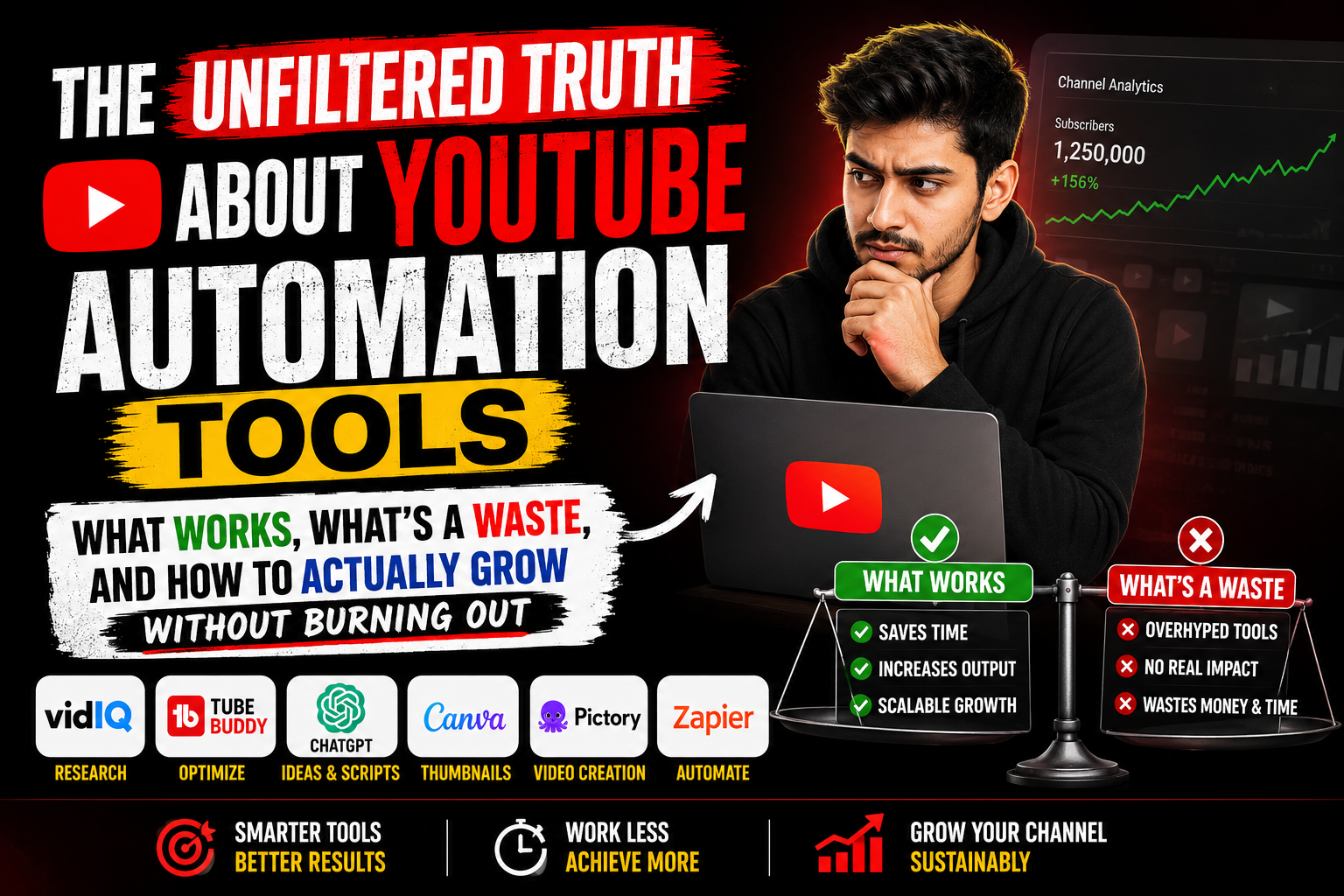
The Unfiltered Truth About YouTube Automation Tools: What Works, What’s a Waste, and How to Actually Grow Without Burning Out Let me start with something most “gurus” won’t tell you. YouTube automation isn’t about uploading nothing and watching money roll in while you sip coconut water on a beach. If that’s what you’re here for, stop reading. That dream died in 2015, and even then, it was mostly a fantasy.
Real YouTube automation is about building a smart, efficient content machine that still feels human. It’s about cutting down the 20 hours it takes to make one video into maybe 6 hours, without your audience realizing you didn’t slave over every single pixel. It’s about consistency without the burnout that makes most creators quit right when they’re about to break through.
I’ve been digging into these tools for years, tried the expensive ones, cried over the cheap ones that broke my channel, and figured out a few things along the way. So here’s the real deal on YouTube automation tools in 2025, written by an actual human who still double-checks every automated caption for typos.
Why Most People Get YouTube Automation Completely Wrong
Before we dive into specific tools, we need to have an uncomfortable conversation. I see creators make the same mistake over and over. They think automation means setting up a bunch of software, pressing “go,” and then disappearing for three months. Then they come back shocked that their channel has twelve views and a comment from someone named “GamingMaster77” saying “this is obviously AI garbage.”
Here’s the thing automation can’t replace. Taste. Judgment. The weird little quirks that make your content feel like a person made it. Automation should handle the repetitive, soul-crushing tasks that make you want to throw your laptop out a window. It should not write your scripts, choose your topics, or decide your creative direction.
The creators who win with automation are the ones who treat tools like employees. You wouldn’t hire someone and never check their work. Same principle here. You automate the boring stuff so you have more energy for the creative stuff that actually matters.
Also, and I cannot stress this enough, YouTube’s algorithm is smarter than any third-party tool. It has been trained on billions of hours of human behavior. It knows when a video is slapped together by someone who doesn’t care. No amount of keyword stuffing or automated thumbnail generation will trick a system that literally tracks exactly when people click away.
Content Research and Idea Generation Tools That Don’t Suck
Let me be honest with you about the idea phase. Staring at a blank document trying to figure out what to make is genuinely one of the hardest parts of YouTube. I’ve wasted entire afternoons just refreshing competitor channels, hoping inspiration would strike like lightning.
The good news is there are some genuinely helpful tools that won’t turn you into a soulless content farm.
TubeBuddy and vidIQ are the old guard here, and for good reason. They both plug directly into YouTube and give you data that YouTube should probably just show you anyway but doesn’t. The keyword research features on both are genuinely useful. You can see what people are actually searching for, not just what’s trending on Twitter or whatever Elon is calling it this week.
But here’s where I see people go wrong with these tools. They find a keyword with decent search volume and low competition, and they just make that video. Exactly that video. The one everyone else with the same tool is also making. Then they wonder why their channel looks exactly like five hundred other channels.
The smart way to use these research tools is as a starting point, not a blueprint. Find a topic that has interest, then figure out what unique take only you can bring. Maybe everyone is making “how to edit faster in Premiere Pro” and you can make “how I edit an entire video during my toddler’s nap time.” Same category, completely different angle.
Morningfame is another one that deserves more attention than it gets. It was built by a guy who actually grew a YouTube channel, not a tech company trying to cash in on creator desperation. The interface is uglier than the others, which is honestly how you know it’s good. It focuses on something called the “sessions” report, which helps you understand how people actually watch your content in real viewing sessions, not just isolated video metrics.
For topic research that goes beyond YouTube itself, AnswerThePublic is still useful, though it has gotten more expensive and less generous with its free tier. The visual maps of questions people ask about specific topics are genuinely helpful for finding video angles you wouldn’t have considered. Type in “homemade pizza” and you’ll see people want to know if it’s cheaper than delivery, if you need a stone, if you can freeze the dough. Each one of those is a video.
But honestly, the most underrated research tool is just YouTube search itself. Type a topic into the search bar and look at the auto-complete suggestions. Those are real searches real people are making right now. Look at the videos that come up and scroll through the comments to see what people are still confused about. No tool can replace actually spending time in the community you want to serve.
Scripting Tools That Won’t Make You Sound Like a Robot
This is where things get dicey, and I need to be really clear about something. AI scripting tools are getting better, but they are not good enough yet to replace a human writer for anything other than the most generic, faceless content. If you’re making those “top 10 facts about ancient Rome” channels with a text-to-speech voiceover, sure, automate away. But if you’re trying to build an actual audience of humans who like you specifically, you need to write your own scripts.
That said, there are ways to make scripting faster without just handing the keys to ChatGPT.
Otter.ai is genuinely useful for getting ideas out of your head and onto the page. I talk to myself constantly when I’m brainstorming. Terrible for my reputation at coffee shops, great for content. I’ll just ramble into my phone about a video idea, then run that recording through Otter to get a rough transcript. It’s usually a mess, but it captures my natural voice and the random connections my brain makes that I would never type out in a polished document.
From there, I clean it up, restructure things, and turn it into an actual script. This takes maybe an hour instead of the three hours I would spend staring at a blank page trying to sound like a YouTuber instead of just talking like myself.
For research and outline assistance, Perplexity has become my secret weapon. Unlike ChatGPT which confidently makes up sources that don’t exist, Perplexity actually shows you where it got its information. You can ask about a topic, get a summary that links to actual articles and studies, and then fact-check everything yourself. It’s not writing for you, but it’s gathering raw materials way faster than you could manually.
The key here is to never trust any of these tools completely. Double-check everything. Rewrite everything in your own voice. Add your own jokes, your own stories, your own perspective. The automation should get you to 70 percent so you have energy for the 30 percent that actually matters.
Voiceover and Audio Tools That Don’t Sound Like a GPS
Text-to-speech is the fastest way to make your channel look like a content farm. I don’t care how good the AI voices are getting. There is something deeply unsettling about a voice that has no breath, no imperfection, no sense that a human is actually saying words while thinking about what they had for breakfast.
That said, there are legitimate reasons to automate audio. Maybe you hate your voice. Maybe you record in a noisy environment. Maybe you have a speech impediment that makes recording frustrating. I get it. So let me tell you about the tools that don’t completely suck.
ElevenLabs is objectively the best AI voice generator right now. It’s not cheap, but the voices have emotion, pacing that makes sense, and you can actually adjust things like how much energy and enthusiasm the voice has. It still isn’t going to fool anyone who pays attention, but for background narration or channels that aren’t personality-driven, it’s passable.
The much better option, in my opinion, is to get better at recording your own voice. Adobe Podcast’s free online tool is genuinely magic. You can record yourself on your phone in a closet full of clothes, upload the audio, and it will clean up background noise, level out volume spikes, and make you sound like you were in a professional booth. It’s not automation that removes you, it’s automation that makes you sound better.
For channels that need voiceover but have multiple people or recurring segments, Descript is worth looking at. It creates a transcript of your audio, and you can edit the audio by just deleting words from the transcript. You can also record a few sentences as a voice sample and then type new words that it will generate in your voice. The generated parts are still obviously generated, but for fixing small mistakes without re-recording an entire paragraph, it’s incredibly useful.
Video Editing Automation That Actually Saves Time
Editing is where most YouTube hours disappear into a black hole. You shoot two hours of footage for a ten minute video. You spend four hours cutting out the parts where you forgot what you were saying, looked at your phone, or made weird mouth noises. Then you do color correction, audio leveling, adding b-Roll, captions, end screens, all of it.
The good news is there are now tools that genuinely help with this without making your video look like garbage.
Descript’s video editing works the same as its audio editing. You edit the transcript, and the video edits itself. For talking head content, this is revolutionary. You can delete every “um” and “like” by just removing those words from the text. You can drag paragraphs around to reorder your points. It feels like cheating, and in a good way.
For creators who don’t want to appear on camera at all, there’s a whole ecosystem of tools for faceless channels. Pictory.ai can take blog posts or scripts and automatically find relevant stock footage and b-Roll. Opus Clip is specifically for turning longer videos into shorts, and it’s surprisingly intelligent about finding the most engaging moments.
But here’s my honest take on faceless channels. They are incredibly hard to grow an audience on. People watch YouTube to connect with people. If you’re just assembling public domain footage with an AI voice, you are competing with thousands of other channels doing the exact same thing. The margins are tiny, the algorithm doesn’t prioritize you, and one copyright claim can wipe out months of work.
If you are going to go this route, you need to add something unique. Maybe you have genuinely insightful commentary. Maybe your research is deeper than anyone else’s. Maybe you have a specific angle or perspective that isn’t just rewording Wikipedia. The tool is a tool. It doesn’t replace having something to say.
The Deep Cut: Descript Is More Than Editing
I want to spend an extra minute on Descript because it keeps adding features that nobody is talking about enough. The overdub feature I mentioned is getting scarily good. With enough voice samples, it can generate new sentences that sound like you. I use this when I realize I forgot to say something important, but I don’t want to set up my camera again, match the lighting, and try to recapture the exact energy I had three hours ago.
The stock media library inside Descript is also better than it has any right to be. They have b-Roll, music, and sound effects that are actually good and licensed for commercial use. No more scouring Pexels for the seventeenth video of someone typing on a laptop.
And the remote recording feature is solid. You send a link, people join from their browsers, and you get separate audio and video tracks for each person, all synced up and ready to edit. For interview-based channels, this alone is worth the subscription.
Thumbnail Tools That Don’t Turn You Into a Clickbait Monster
Thumbnails are stupidly important, and we all hate it. You spend hours on a video, days sometimes, and the difference between one million views and ten thousand views is often just whether your thumbnail makes someone stop scrolling for a split second.
Canva is the obvious starting point, and for good reason. The thumbnail templates are decent, it’s cheap, and it works in your browser. But the automation features are where things get interesting. You can set up brand kits with your fonts, colors, and logo. You can save templates so every thumbnail has the same layout with different images and text. This cuts thumbnail creation from twenty minutes to maybe five.
For actual thumbnail optimization, TubeBuddy and vidIQ both offer A/B testing features. You upload two or three thumbnails, and the tool shows different versions to different viewers to see which one performs better. This is legitimately useful and something YouTube should offer natively.
But please, for the love of all that is holy, don’t use face-swap tools or those ridiculous arrow-and-circle templates that every finance bro uses. If your thumbnail has a red arrow pointing at nothing in particular, you have lost the thumbnail game before you even started.
The best thumbnail tool is your own honest reaction. Make a thumbnail, shrink it down to the size it appears on a phone screen, and ask yourself if you would click on it next to thirteen other videos. If the answer isn’t an immediate yes, start over.
SEO and Optimization That Actually Works in 2025
Here’s a secret that YouTube doesn’t want you to know. SEO barely matters anymore. I know, I know, the keyword research tools are expensive and the gurus all have courses and everyone wants to believe there’s a secret hack. But YouTube’s recommendation system is mostly based on watch time and viewer satisfaction now, not whether you put the right words in your description.
That said, there are still optimization tasks worth automating.
Tubebuddy’s bulk processing features let you update descriptions, tags, and end screens across multiple videos at once. This is useful for when you change your branding or want to link to a new video across your entire back catalog. Doing that manually would take days.
VidIQ’s competitor analysis shows you what tags and descriptions similar channels are using. Not so you can copy them, but so you can see what you’re missing. If everyone in your niche uses the word “tutorial” and you use “guide,” maybe that’s worth thinking about.
The real SEO automation that matters is transcription and captioning. YouTube can generate automatic captions, and they’re mostly fine, but they struggle with technical terms, names, and accents. Using a tool like Rev or even just Otter to generate accurate transcripts and then uploading them as caption files gives you better accessibility and slightly better SEO signals. More importantly, it makes your content watchable for deaf and hard of hearing viewers, which is just the right thing to do.
The Distribution Tools Nobody Talks About
You made the video. You edited it. You made a thumbnail. You wrote a description. Then you upload it to YouTube and… wait. That’s not distribution. That’s just publishing.
Real distribution is getting your content in front of people who haven’t found you yet, without being annoying about it.
Repurpose.io is probably the most useful tool in this category that no one mentions. It takes your YouTube video and automatically reformats it for TikTok, Instagram Reels, YouTube Shorts, and even LinkedIn if that’s your audience. Not just cutting it shorter, but reformatting the aspect ratio, moving text overlays, and even generating captions. You set the rules once, and then every video becomes a dozen pieces of short-form content automatically.
This matters because short-form is how most new audiences discover creators now. Someone watches a sixty-second clip of your video on TikTok, likes your style, and then searches for your YouTube channel. That’s the funnel. Repurpose.io makes that funnel automatic.
For podcasters, Castos and Transistor both have features that automatically distribute your YouTube audio to podcast platforms. You upload a video, they extract the audio, create an RSS feed, and submit it to Apple Podcasts and Spotify. No extra work from you.
I hesitate to recommend automated social media posting tools like Buffer or Hootsuite for YouTube promotion. The problem is that social media is contextual. You can’t just auto-post “new video link here” on every platform and get results. Each platform wants something different. Twitter wants a conversation. Reddit wants genuine community participation. LinkedIn wants professional insights. Automation usually strips out that context and makes you look like a spam bot.
Scheduling and Workflow Tools for Sane People
If you only take one thing away from this entire post, let it be this. The most important automation tool is a good content calendar.
Notion, Trello, Asana, ClickUp, I don’t actually care which one you use. Just use one. Set up a system where ideas go in one end and published videos come out the other, with every step tracked in between.
My setup uses Notion with a database that tracks every video idea through stages. Research, scripting, recording, editing, thumbnail, SEO, publishing, promotion. Each stage has checklists, due dates, and notes. It’s not fancy, but it means I never forget to add captions or double-check a fact or update the end screen template.
You can automate parts of this workflow. Zapier and Make (formerly Integromat) connect different tools together. When you publish a video on YouTube, a Zap can automatically post to Twitter, add a row to a Google Sheet with your video stats, and send you a celebratory email. Little dopamine hits like that matter when you’re deep in the grind.
The real magic of these workflow tools is that they free up mental space. You stop wondering what you’re supposed to be doing next. The system tells you. Then you use your brain for the creative stuff that actually grows your channel.
The Ethics of Automation Nobody Wants to Discuss
Let me get real for a minute. There’s a dark side to YouTube automation that most people dance around because they’re trying to sell you something.
Buying views is against YouTube’s terms of service and will get your channel terminated. Comment bots will destroy your engagement rates and make real humans think you’re a spam channel. Sub4sub services are the fastest way to convince the algorithm that nobody actually likes your content, because none of those subscribers will watch your videos.
I see people using automation to scrape emails from YouTube comments and send mass marketing messages. This is not just against the rules, it’s genuinely gross behavior. Don’t be that person.
The ethical line is pretty simple. If your automation helps real humans have a better experience watching your content, it’s good. If your automation tricks humans or manipulates the platform, it’s bad.
Helping a deaf viewer understand your video with accurate captions? Good. Using a bot to leave generic “great video!” comments on bigger channels to drive traffic to your channel? Bad, and also everyone can tell you’re doing it.
Building a System That Works for You
After all of this, here’s what I actually recommend for someone starting with YouTube automation.
Start with nothing but your phone and a free video editor. Make ten videos. Figure out if you even like making content before you spend money on tools.
Once you’re committed, buy the cheapest tier of TubeBuddy or vidIQ. Just the keyword research and the A/B testing. That’s fifty cents a day, roughly.
When you’re tired of editing transcripts manually, get Descript. It pays for itself in time saved within a week.
When you’re tired of making the same thumbnail layout over and over, get Canva Pro.
When you’re tired of manually posting clips to every platform, get Repurpose.io.
Everything else, try the free version first. Most tools have generous free tiers that are genuinely useful. Upgrade only when you hit a specific limit that’s actually holding you back.
Do not buy the all-in-one “YouTube automation suite” that some guru is selling for four payments of $197. These are almost always rebranded free tools with a pretty dashboard and a Facebook group full of desperate people trying to get rich quick.
The Final Uncomfortable Truth
No tool will make you a successful YouTuber. I’m sorry. I know that’s not what you wanted to hear after reading three thousand words about automation tools.
The tools just remove friction. They make it easier to do the things that already work. But the things that already work are still hard. You still need good ideas. You still need to connect with an audience. You still need to improve your craft over years, not weeks.
The most successful automated channels I’ve seen are run by people who still watch every video before it goes out. Who still read and respond to comments. Who still care deeply about whether their content actually helps someone or makes someone laugh or changes someone’s perspective on something.
Automation is not a replacement for caring. It’s just a way to care more efficiently.
So go ahead, try some of these tools. Save yourself some time. Make your workflow less painful. But don’t lose sight of why you wanted to make YouTube videos in the first place. Probably, it wasn’t so you could get really good at using software. It was so you could say something that matters to people who need to hear it